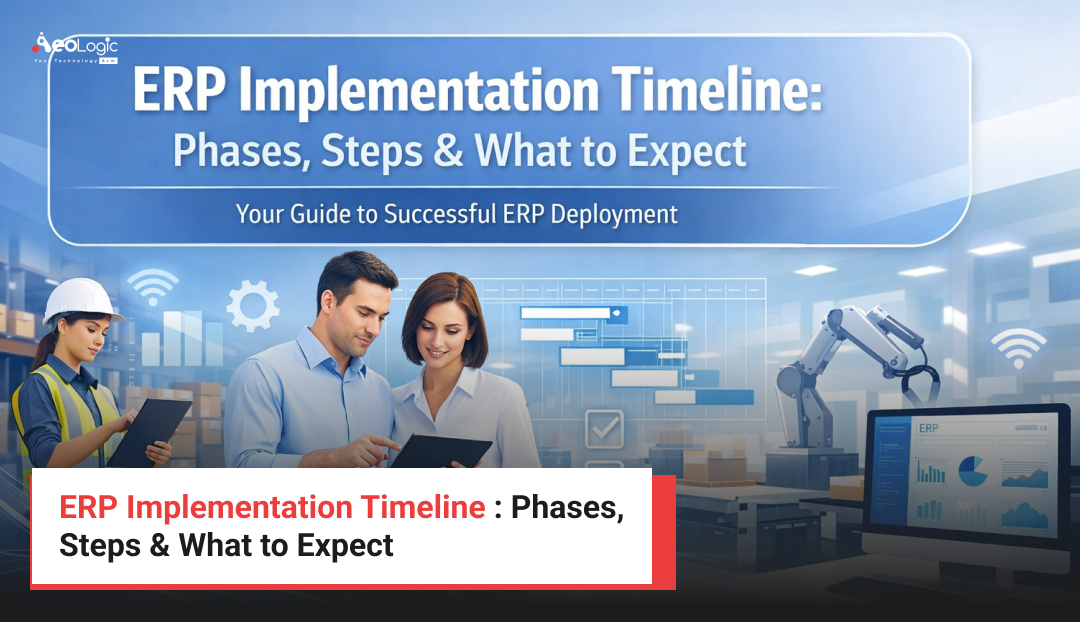
The ERP Implementation Timeline is one of the most critical considerations for organizations planning to adopt an Enterprise Resource Planning system. Implementing ERP is not just a technical upgrade; it is a strategic transformation that reshapes how departments manage data, processes, and collaboration across the enterprise. Companies often underestimate the time, planning, and coordination required to successfully deploy an ERP solution.
A well-structured ERP implementation ensures smoother transitions, minimized operational disruption, and faster return on investment. Without proper planning, organizations may experience delays, budget overruns, and resistance from employees. Understanding the typical phases, steps, and expectations of an ERP journey allows business leaders and IT teams to prepare effectively and manage the transformation with confidence.
What is an ERP Implementation?
ERP implementation refers to the process of deploying an Enterprise Resource Planning system within an organization to integrate multiple business processes into a unified digital platform. ERP systems connect departments such as finance, supply chain, human resources, manufacturing, and customer relationship management into a centralized environment.
The process includes evaluating business requirements, selecting the right ERP platform, configuring workflows, migrating existing data, testing system performance, and training employees. Because ERP systems become the backbone of operational processes, the implementation must be executed carefully and strategically to ensure alignment with business goals.
Why the ERP Implementation Timeline Matters for Businesses
A clearly defined ERP rollout schedule is essential for managing expectations and maintaining operational continuity during the transition. Organizations rely on ERP systems to manage mission-critical processes, so any disruption can affect productivity, customer satisfaction, and financial performance.
A structured timeline helps organizations allocate resources effectively, coordinate departments, and ensure that project milestones are achieved on schedule. It also allows leadership teams to monitor progress, identify potential risks early, and maintain alignment between technical teams and business stakeholders.
When organizations understand the expected timeframe for ERP deployment, they can plan training initiatives, adjust operational workflows, and prepare employees for the new system environment.
 ERP Implementation Timeline Phases Explained
The ERP Implementation Timeline typically follows a structured lifecycle consisting of several strategic phases. Each phase focuses on specific objectives that gradually move the organization from planning to full operational deployment.
Phase 1: Planning and Project Initiation
The first stage focuses on defining business goals, project scope, and overall implementation strategy. Organizations establish a cross-functional project team that includes executives, IT specialists, department leaders, and ERP consultants.
During this phase, companies assess their current processes, identify inefficiencies, and determine what they expect from the ERP system. A detailed project roadmap is created, outlining responsibilities, budgets, timelines, and risk mitigation strategies.
Strong planning ensures the entire implementation remains aligned with the organization’s operational and strategic objectives.
Phase 2: Requirements Analysis and System Design
After the initial planning stage, organizations move toward understanding their detailed functional requirements. Business processes across departments are carefully documented to determine how the ERP system should be configured.
Workflows, reporting needs, integration requirements, and data structures are defined in this phase. ERP architects and consultants design system architecture and determine how the new platform will integrate with existing tools and databases.
This phase is critical because poorly defined requirements often lead to delays and expensive modifications later in the project.
Phase 3: ERP Configuration and Customization
Once the system design is finalized, the ERP platform is configured according to the organization’s operational requirements. Configuration involves setting up modules, workflows, dashboards, permissions, and automation rules.
In some cases, customization may also be required to support specialized industry processes or unique operational needs. However, best practice recommends minimizing customization to avoid complexity during future upgrades.
During this phase, technical teams also develop integrations with external systems such as CRM platforms, analytics tools, and supply chain management systems.
Phase 4: Data Migration and System Testing
Data migration is one of the most sensitive stages of ERP deployment. Legacy data from existing systems must be cleaned, structured, and transferred accurately into the new platform.
Testing is conducted extensively to ensure system functionality, performance, and data integrity. Teams run simulations to verify that workflows operate correctly and that business processes function without interruption.
Testing includes unit testing, integration testing, and user acceptance testing to ensure that every component of the ERP system performs as expected before going live.
Phase 5: Employee Training and Change Management
ERP implementation introduces new workflows and technologies that employees must learn to operate effectively. Comprehensive training programs help staff understand how the new system supports their daily responsibilities.
Change management strategies are also implemented to address employee resistance and encourage adoption. Leadership teams communicate the benefits of the new platform and provide ongoing support to help teams transition smoothly.
Successful organizations prioritize training because employee adoption directly influences the overall success of ERP deployment.
Phase 6: Go-Live and Post-Implementation Support
The final phase of the ERP Implementation Timeline is the official system launch, commonly referred to as “Go-Live.” At this stage, the ERP platform becomes the organization’s primary system for managing operations.
Even after deployment, continuous monitoring and optimization are necessary. Technical teams track performance metrics, resolve unexpected issues, and refine system configurations.
Post-implementation support ensures that the organization maximizes the value of its ERP investment and continues improving operational efficiency.
Step-by-Step ERP Implementation Strategy
Step 1 involves defining business objectives and selecting the ERP platform that aligns with organizational goals. Leadership teams analyze operational challenges and determine how ERP technology can address them.
Step 2 focuses on assembling a project team consisting of business leaders, IT specialists, consultants, and department representatives. This team drives project governance and decision-making throughout the deployment process.
Step 3 includes mapping existing business processes and identifying areas that require optimization before migrating them to the ERP environment.
Step 4 involves configuring the ERP modules and integrating them with existing enterprise systems such as CRM platforms, analytics tools, and inventory management solutions.
Step 5 is dedicated to migrating business data into the new system while ensuring data accuracy and security.
Step 6 focuses on testing system performance, workflows, and user functionality to ensure everything operates correctly before deployment.
Step 7 is the final rollout stage, where the ERP system becomes operational across departments and ongoing monitoring begins.
Key Business Benefits of ERP Implementation
ERP systems deliver significant operational advantages when implemented effectively. Organizations benefit from improved data visibility, streamlined workflows, and better collaboration across departments.
ERP platforms eliminate data silos by centralizing information, allowing decision-makers to access real-time insights from across the organization. Financial reporting becomes faster and more accurate, while operational teams gain better control over inventory, procurement, and supply chain processes.
Another major advantage is improved automation. Routine tasks such as invoicing, payroll management, procurement approvals, and reporting can be automated, allowing employees to focus on higher-value activities.
ERP solutions also improve compliance and audit readiness by maintaining standardized records and consistent reporting frameworks across the organization.
Real-World ERP Implementation Example
Consider a mid-size manufacturing company struggling with disconnected software systems for finance, production planning, and inventory management. Data inconsistencies and manual reporting were slowing decision-making and causing operational delays.
After deploying an ERP solution, the organization integrated procurement, warehouse management, and financial reporting into a single system. Production managers gained real-time visibility into inventory levels, while finance teams could generate accurate reports instantly.
Within a year, the company improved operational efficiency, reduced inventory costs, and accelerated order fulfillment.
Technologies and Platforms Used in ERP Implementations
Modern ERP solutions are powered by advanced technologies that enhance scalability, automation, and analytics capabilities. Cloud ERP platforms are becoming increasingly popular because they offer flexibility, lower infrastructure costs, and faster deployment.
Technologies such as artificial intelligence and machine learning are being integrated into ERP systems to provide predictive analytics, demand forecasting, and automated insights. Integration technologies like APIs enable ERP systems to connect seamlessly with CRM platforms, business intelligence tools, and supply chain applications.
These technological advancements are transforming ERP systems into intelligent platforms that support data-driven decision-making across enterprises.
Common Challenges and Best Practices
ERP projects often face challenges related to scope expansion, inadequate planning, data migration issues, and employee resistance. Organizations may also encounter difficulties when attempting excessive system customization.
Successful ERP implementations prioritize strong leadership support, clear communication, and realistic expectations. Defining measurable project goals and establishing a structured governance model can significantly reduce implementation risks.
Best practices also include investing in employee training, maintaining clean data during migration, and choosing experienced implementation partners who understand the organization’s industry requirements.
Future Trends in ERP Implementation
ERP systems are rapidly evolving as businesses adopt digital transformation strategies. Cloud-native ERP platforms are replacing traditional on-premise systems due to their scalability and accessibility.
Artificial intelligence is expected to play a larger role in automating decision-making processes and generating predictive insights. Advanced analytics, Internet of Things integration, and robotic process automation are also becoming common components of modern ERP ecosystems.
As these technologies mature, organizations will continue to rely on ERP platforms as central hubs for intelligent business operations.
Conclusion
A well-planned ERP Implementation Timeline plays a crucial role in ensuring a successful ERP deployment. By understanding the phases, steps, and expectations involved, organizations can minimize risks, control project costs, and achieve faster operational improvements. ERP implementation is not just about installing software—it is about transforming how a business operates, collaborates, and makes decisions.
Organizations that approach ERP projects with clear goals, strong leadership support, and structured implementation strategies are far more likely to succeed. Partnering with experienced technology experts such as Aeologic Technologies can help businesses navigate complex ERP transformations and ensure that their systems deliver long-term value and operational efficiency.
People Also Ask (FAQs)
Q1. What is a typical ERP Implementation Timeline?
A typical ERP Implementation Timeline can range from three months to more than a year depending on the size and complexity of the organization. Small businesses implementing limited ERP modules may complete deployment within a few months, while large enterprises with multiple departments and integrations may require significantly longer. The timeline includes planning, system configuration, data migration, testing, employee training, and final deployment. Proper planning and experienced implementation teams help ensure that the project stays on schedule while minimizing operational disruptions.
Q2. What factors affect ERP implementation duration?
Several factors influence the time required for ERP deployment. Organizational size, number of modules implemented, data complexity, and integration requirements all affect the implementation process. Companies with complex workflows or multiple legacy systems often require additional time for system configuration and data migration. Employee training and change management also impact deployment speed. Organizations that prepare detailed requirements and maintain strong project governance usually experience faster and more efficient ERP implementations.
Q3. How long does ERP implementation take for mid-size companies?
For mid-size organizations, ERP implementation typically takes between six and twelve months. This timeframe includes planning, process analysis, configuration, testing, and employee training. Mid-size companies often require multiple modules such as finance, supply chain, and human resources, which increases system complexity. The implementation timeline can be shortened if the company adopts a cloud ERP platform with minimal customization and standardized workflows.
Q4. What are the biggest risks during ERP implementation?
ERP projects can face risks such as inadequate planning, data migration errors, employee resistance, and budget overruns. Another common risk is attempting excessive system customization, which increases complexity and delays deployment. Organizations may also encounter integration challenges when connecting ERP systems with existing business software. Strong project governance, clear communication, and structured testing processes help mitigate these risks and ensure a smoother implementation experience.
Q5. Why do some ERP implementations fail?
ERP implementations may fail when organizations lack clear objectives or underestimate the complexity of the project. Insufficient executive support, poor data quality, and inadequate employee training can also lead to unsuccessful deployments. Another major cause of failure is unrealistic expectations regarding timelines and budgets. Companies that treat ERP implementation as a strategic transformation rather than just a software installation are more likely to achieve successful outcomes.
Q6. How can companies speed up ERP implementation?
Organizations can accelerate ERP deployment by clearly defining business requirements and avoiding unnecessary customization. Choosing cloud-based ERP platforms often reduces implementation time because infrastructure setup is minimized. Companies should also establish a dedicated project team and ensure strong collaboration between technical experts and business stakeholders. Maintaining clean data, conducting early testing, and providing employee training during the project can significantly improve deployment speed and success.

With a strong foundation in software and a growing expertise in AI, I specialize in building smart, scalable solutions that drive digital transformation