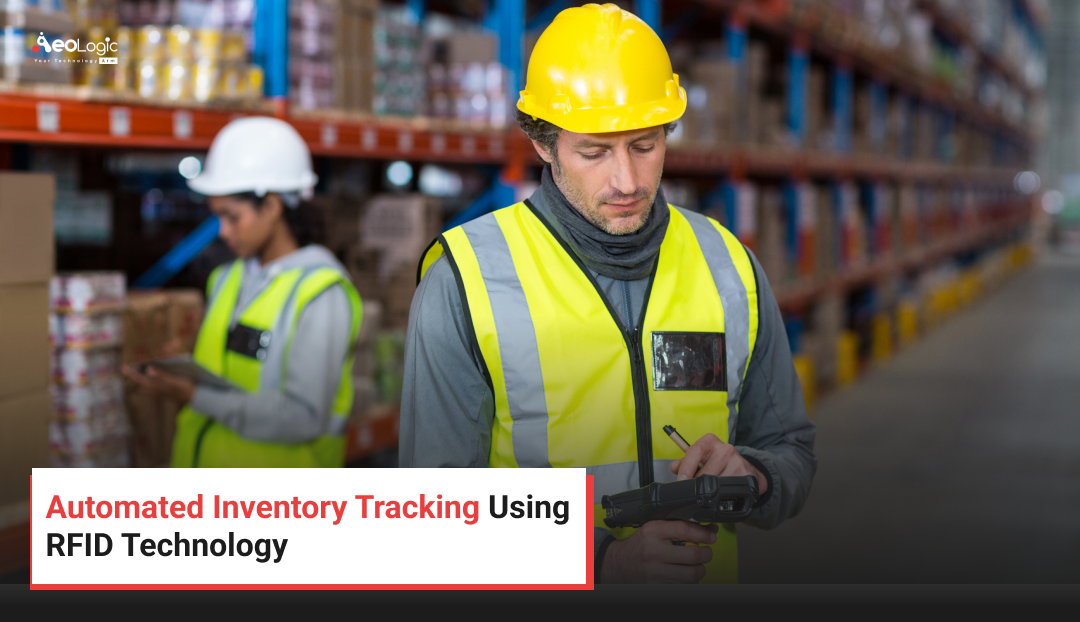
Running out of stock at the worst possible moment. Finding a pallet “lost” in the warehouse for three days. Spending an entire weekend on a manual stock count that still doesn’t match the books. If any of that sounds familiar, you’re not alone — and it’s exactly why so many operations teams are turning to automated inventory tracking powered by RFID technology.
This guide breaks down what automated inventory tracking actually is, how RFID makes it possible, and what it takes to put a reliable system in place — without the fluff, and without pretending every business needs the same solution.
 What is Automated Inventory Tracking?
Automated inventory tracking is the use of technology — sensors, tags, readers, and software — to monitor stock levels, locations, and movement in real time, without relying on manual counts or spreadsheets. Instead of a person walking the aisles with a clipboard, a network of connected devices does the counting, the logging, and often the reordering too.
In practice, automated inventory tracking means that when a pallet moves from the loading dock to a shelf, the system already knows. When a product sells at the register, the back-end inventory count updates instantly. That’s the core promise: fewer manual touches, fewer errors, and a stock count you can actually trust.
RFID (Radio Frequency Identification) is one of the most effective technologies for delivering this kind of visibility, and it’s the focus of this article.
How RFID Technology Powers Automated Inventory Tracking
RFID works through three basic parts: a tag, a reader, and software that ties the data together.
- RFID tags are small chips attached to products, pallets, or containers. Each tag holds a unique identifier.
- RFID readers emit radio waves that “wake up” nearby tags and capture their data, often from several feet away and without needing a direct line of sight.
- Inventory software receives that data, matches it to product records, and updates stock counts, locations, and movement history automatically.
This is what separates RFID-based automated inventory tracking from barcode scanning. A barcode needs someone to point a scanner at each item, one at a time. RFID readers can capture dozens or hundreds of tags at once, as products pass through a doorway, a conveyor, or a scanning tunnel. That single difference is why so many warehouses, retailers, and manufacturers have shifted toward RFID for automated inventory tracking at scale.
Passive vs. Active RFID Tags
Not all RFID tags work the same way, and the choice matters for how you design your automated inventory tracking setup.
- Passive tags have no internal power source. They’re powered by the reader’s signal, which keeps them cheap (often under a dollar each) but limits their read range to roughly 10 to 20 feet.
- Active tags have their own battery and broadcast continuously, giving them a much longer range — useful for tracking high-value assets across a large yard or facility, though at a higher per-tag cost.
Most retail and warehouse automated inventory tracking deployments use passive tags because they’re cost-effective at volume and don’t require battery replacement.
Why Businesses Are Moving to RFID-Based Automated Inventory Tracking
A few forces are pushing companies toward automated inventory tracking rather than sticking with manual or barcode-only methods:
- E-commerce has raised the bar. Customers expect accurate “in stock” information online, and a single stockout or overselling incident can damage trust fast.
- Labor costs keep climbing. Manual cycle counts and stock audits eat up hours that could go toward higher-value work.
- Supply chains have gotten more complex. Multi-location businesses need visibility across warehouses, stores, and in-transit shipments, not just one building.
- Shrinkage and loss are expensive. Misplaced or unrecorded stock often looks identical to theft on the balance sheet, even when it isn’t.
Each of these pressures points to the same solution: a system that tracks inventory continuously, instead of only when someone remembers to check.
Key Components of an RFID Automated Inventory Tracking System
A working automated inventory tracking system generally includes:
| Component | Role |
|---|---|
| RFID tags | Attached to items, cartons, or pallets to give each one a unique digital identity |
| Fixed or handheld readers | Capture tag data at doorways, shelves, or during manual sweeps |
| Middleware | Filters and organizes raw tag reads before they reach the main software |
| Inventory management software | Stores records, triggers reorder points, and generates reports |
| Integration layer | Connects the system to your ERP, point-of-sale, or warehouse management platform |
None of these pieces works well in isolation. The value of automated inventory tracking comes from how smoothly tags, readers, and software talk to each other — which is why planning the integration layer early tends to save a lot of headaches later.
Automated Inventory Tracking vs. Traditional Barcode Systems
It’s a fair question: why not just use barcodes? Here’s a side-by-side look.
| Factor | RFID Automated Inventory Tracking | Barcode Scanning |
|---|---|---|
| Line of sight needed | No | Yes |
| Items read per scan | Dozens to hundreds | One at a time |
| Read range | Several feet (passive) to 100+ feet (active) | Inches |
| Durability | Resistant to dirt and moisture (with proper casing) | Easily damaged or smudged |
| Cost per tag/label | Higher upfront | Lower upfront |
| Labor required | Minimal, largely passive | Scanning staff needed |
| Best for | High-volume, fast-moving stock | Low-volume or budget-constrained operations |
Barcode systems still have a place, especially for smaller operations with tight budgets. But for businesses dealing with high SKU counts, fast turnover, or multiple locations, automated inventory tracking via RFID tends to pay for itself through labor savings and fewer stock discrepancies.
Benefits of Automated Inventory Tracking with RFID
Real-Time Visibility
Once a system is in place, you know what you have, where it is, and how fast it’s moving — without waiting for a scheduled count.
Fewer Manual Errors
Human counting mistakes — miscounts, duplicate entries, missed items — drop sharply once tags and readers take over the repetitive work.
Faster Stock Audits
What used to take a team days can often be done in hours, since handheld readers can sweep an entire storage area in a single pass.
Better Demand Planning
Accurate, real-time data feeds directly into forecasting, so reordering decisions are based on what’s actually happening, not what the spreadsheet said last week.
Reduced Shrinkage
When every item’s movement is logged, it’s much easier to spot where loss is happening — and to address it before it becomes a pattern.
Improved Customer Experience
Accurate online stock levels mean fewer cancelled orders and fewer “sorry, that’s actually out of stock” conversations at checkout.
Common Challenges in Implementing Automated Inventory Tracking
It’s worth being honest about the trade-offs, too:
- Upfront cost. Tags, readers, and software all carry a price tag, and the investment can be significant for very small operations.
- Tag placement and interference. Metal and liquids can interfere with RFID signals, so tag placement sometimes requires testing and adjustment.
- Integration complexity. Connecting a new automated inventory tracking system to existing ERP or POS software can take real IT effort, especially with older systems.
- Change management. Staff need training, and workflows built around manual counts often need to be redesigned, not just digitized.
- Data overload. More data isn’t automatically useful — without good middleware and reporting, teams can end up buried in reads they don’t know what to do with.
None of these challenges are reasons to avoid automated inventory tracking altogether. They’re reasons to plan the rollout carefully, usually starting with a pilot in one warehouse or product line before scaling up.
Signs Your Business Needs Automated Inventory Tracking
Not every operation needs to jump into RFID right away. A few warning signs tend to show up before the switch starts paying off:
- Stock counts rarely match what’s on the shelf. If your system says you have 40 units but a physical count turns up 28, that gap is costing you in lost sales or wasted reorders.
- Cycle counts eat up too many staff hours. When a full count takes days instead of hours, the labor cost alone often justifies automated inventory tracking.
- You’re managing inventory across multiple locations. Spreadsheets and manual updates break down fast once you add a second warehouse or storefront.
- Customer complaints about stock accuracy are climbing. Online “in stock” promises that turn out to be wrong are a direct hit to customer trust.
- Shrinkage is creeping up year over year. Without item-level visibility, it’s hard to tell whether loss is coming from theft, damage, or simple miscounting.
If two or more of these sound familiar, it’s usually a sign that manual processes have outgrown the business, and that automated inventory tracking is worth a serious look.
Calculating the ROI of Automated Inventory Tracking
Leadership teams almost always ask the same question before approving a rollout: will this pay for itself? A useful way to frame the answer is to compare current costs against expected savings in three areas.
- Labor savings. Add up the hours spent on manual counts, audits, and stock reconciliation each month, then estimate how much of that time automated inventory tracking would eliminate.
- Error-related costs. Factor in the cost of stockouts, overselling, and misplaced inventory — these are often underestimated because they show up as lost sales rather than a line item.
- Shrinkage reduction. Even a modest drop in unexplained loss can offset a meaningful portion of the investment in tags, readers, and software over a year or two.
None of this needs to be exact to be useful. Even a rough estimate, built from your own numbers, tends to make the case for automated inventory tracking clearer than any industry-wide statistic could.
Best Practices for Successful Automated Inventory Tracking
- Start with a pilot. Test automated inventory tracking on one category or location before a full rollout, so you can work out tag placement and integration issues on a smaller scale.
- Choose the right tag type for the job. Passive tags for high-volume retail stock, active tags for high-value or widely dispersed assets.
- Map your read points carefully. Place readers at doorways, loading docks, and key chokepoints so nothing moves without being logged.
- Clean your data before go-live. An automated inventory tracking system is only as accurate as the product records it’s built on.
- Train staff on exceptions, not just routine use. People need to know what to do when a tag fails to read or a count looks off.
- Review reports regularly, not just during audits. The real value of automated inventory tracking shows up when discrepancies get caught early, not three months later.
Industries Using Automated Inventory Tracking with RFID
- Retail: Apparel retailers were early RFID adopters, using tags to manage sizes, colors, and fast-moving seasonal stock.
- Warehousing and logistics: Distribution centers use automated inventory tracking to manage pallets and cartons across huge footprints.
- Manufacturing: Tracking raw materials and work-in-progress components reduces production delays caused by missing parts.
- Healthcare: Hospitals track high-value equipment and supplies, where a misplaced item can have real operational consequences.
- Food and beverage: Combined with temperature sensors, RFID helps track freshness and reduce spoilage-related loss.
How to Implement an Automated Inventory Tracking System
- Audit your current process. Understand where manual counting, errors, and delays are costing you the most.
- Define your goals. Fewer stockouts? Faster audits? Reduced shrinkage? Your goals shape which tags, readers, and software make sense.
- Choose compatible hardware and software. Look for systems that integrate with your existing ERP, WMS, or POS.
- Run a pilot program. Test on a limited scale before a full deployment.
- Train your team. Make sure staff understand both the day-to-day use and how to handle exceptions.
- Scale gradually. Expand to additional locations or product lines once the pilot proves out.
- Monitor and refine. Treat the rollout as ongoing, not a one-time project — tag placement and workflows often need small adjustments over time.
The Future of Automated Inventory Tracking
RFID isn’t standing still. Combined with the Internet of Things (IoT), AI-driven demand forecasting, and cloud-based reporting, automated inventory tracking is moving from “know what you have” toward “predict what you’ll need.” Expect tighter integration with robotics in warehouses, smarter reorder automation, and tags that double as sensors for temperature, humidity, or tampering — not just identity.
Key Takeaways
- Automated inventory tracking uses RFID tags, readers, and software to monitor stock in real time, without manual counts.
- RFID reads multiple tags at once and doesn’t require line of sight, unlike barcodes.
- Benefits include fewer errors, faster audits, better forecasting, and reduced shrinkage.
- Challenges include upfront cost, integration work, and the need for staff training.
- A phased rollout, starting with a pilot, is the most reliable path to success.
Conclusion
Automated inventory tracking isn’t a buzzword — it’s a practical response to a real problem: manual stock counts can’t keep up with how fast modern supply chains and retail operations move. RFID technology makes that automation possible by letting tags, readers, and software do the counting continuously, in the background, without pulling staff away from more valuable work.
Whether you’re managing a single warehouse or a multi-location retail chain, the best approach is to start small, test the results with a pilot project, and scale automated inventory tracking as your needs grow. Aeologic Technologies helps businesses explore RFID solutions that align with their inventory requirements, budgets, and operational goals. Get in touch to discover how the right RFID setup can improve inventory visibility, accuracy, and efficiency.
FAQs
Q1. What is automated inventory tracking?
Automated inventory tracking is the use of technology like RFID tags, readers, and inventory software to monitor stock levels and locations in real time, replacing manual counts with continuous, system-driven updates.
Q2. How does RFID differ from barcode scanning for inventory?
RFID doesn’t need a direct line of sight and can read many tags at once, often from several feet away. Barcodes require scanning each item individually, one at a time, within a short distance.
Q3. Is RFID-based automated inventory tracking expensive to set up?
Costs vary by scale. Passive RFID tags are relatively inexpensive per unit, but readers, software, and integration work add to the upfront investment. Many businesses start with a pilot to manage costs before scaling.
Q4. What industries benefit most from automated inventory tracking?
Retail, warehousing, manufacturing, healthcare, and food and beverage businesses all use automated inventory tracking, particularly where stock volume, turnover, or asset value make manual counting impractical.
Q5. Can RFID automated inventory tracking integrate with my existing software?
Most modern RFID inventory systems are designed to integrate with common ERP, warehouse management, and point-of-sale platforms, though the complexity depends on how old or customized your existing systems are.
Q6. Does RFID work through walls or packaging?
Passive RFID signals can pass through many non-metallic materials, including cardboard and plastic packaging, though dense metal or liquid-heavy products can interfere with reads and may need adjusted tag placement.
Q7. How accurate is automated inventory tracking compared to manual counts?
When implemented correctly, RFID-based tracking typically produces far more consistent and accurate counts than manual methods, since it removes the human error that comes with repetitive counting.
Q8. What’s the first step to implementing automated inventory tracking?
Start by auditing your current inventory process to identify where errors, delays, or stockouts happen most, then run a small pilot before investing in a full-scale rollout.