
Training a model is the part everyone talks about. Getting it to actually run reliably in front of real users is the part that quietly breaks projects. AI model deployment is the process of taking a trained machine learning model out of a notebook or experiment environment and making it available to serve predictions in a live, production system — where it has to handle real traffic, real data, and real consequences when something goes wrong.
A surprising number of machine learning projects never make it this far. Industry surveys on AI adoption consistently point to the same pattern: teams spend months perfecting model accuracy, then stall when it’s time to operationalize that model. The reasons are rarely about the model itself. They’re about infrastructure, monitoring, versioning, latency, and the dozens of small engineering decisions that separate a research artifact from a production system.
This guide walks through the full journey of AI model deployment — from the moment training ends to the moment your model is serving live predictions, being monitored, and getting updated safely over time. Whether you’re deploying your first model or trying to standardize a repeatable deployment process across a team, the goal here is the same: turn deployment from a one-off scramble into a predictable, repeatable engineering practice.
What is AI Model Deployment?
AI model deployment refers to integrating a trained machine learning model into an existing production environment so it can receive input data and return predictions or decisions in real time or on a schedule. It’s the bridge between data science and software engineering — the point where a model stops being a research output and becomes a running piece of infrastructure.
Deployment is not a single step. It’s a phase that includes packaging the model, choosing a serving method, setting up infrastructure, integrating with applications, and establishing monitoring. Done well, AI model deployment is invisible to end users — predictions simply show up where they’re needed, fast and reliably. Done poorly, it becomes a source of outages, stale predictions, and quiet accuracy decay that nobody notices until it’s a business problem.
Why AI Model Deployment is Harder Than It Looks
Training happens in a controlled environment: curated datasets, generous compute, and no real-time pressure. Production is the opposite. Traffic is unpredictable, data can be messy or adversarial, and latency budgets are often measured in milliseconds. Several factors make AI model deployment genuinely difficult:
- Environment mismatch. A model that works perfectly in a Jupyter notebook can fail in production because of different library versions, hardware, or data preprocessing steps.
- Latency and throughput constraints. A fraud-detection model might need to return a decision in under 100 milliseconds, while the same model architecture trained for batch scoring has no such constraint.
- Data drift. The real-world data a model sees in production often shifts over time, degrading accuracy in ways offline testing never catches.
- Scalability. A model serving ten requests a minute behaves very differently from one serving ten thousand requests a second.
- Governance and compliance. Regulated industries need auditability, explainability, and rollback mechanisms built into the deployment process itself.
Understanding these challenges early changes how you approach AI model deployment — it stops being an afterthought and becomes part of the model-building process from day one.
 The Journey : From Training to Production
Step 1: Model Finalization and Validation
Before any AI model deployment begins, the model needs to be locked down. This means finalizing the architecture, freezing the training data snapshot, and validating performance against a held-out test set that genuinely reflects production conditions — not just a convenient split of the training data. Teams should also run bias, fairness, and edge-case testing here, since issues caught before deployment are far cheaper to fix than issues caught after.
Step 2: Packaging the Model
A trained model is usually just a file — a .pkl, .pt, .onnx, or .h5 file, depending on the framework. Packaging means wrapping that file with everything needed to run it: the inference code, dependencies, preprocessing logic, and a defined input/output schema. Most teams containerize this using Docker, which guarantees the model runs identically regardless of where it’s deployed. Standardized formats like ONNX (Open Neural Network Exchange) are increasingly popular because they let a model trained in one framework run in a serving environment built for another.
Step 3: Choosing a Deployment Strategy
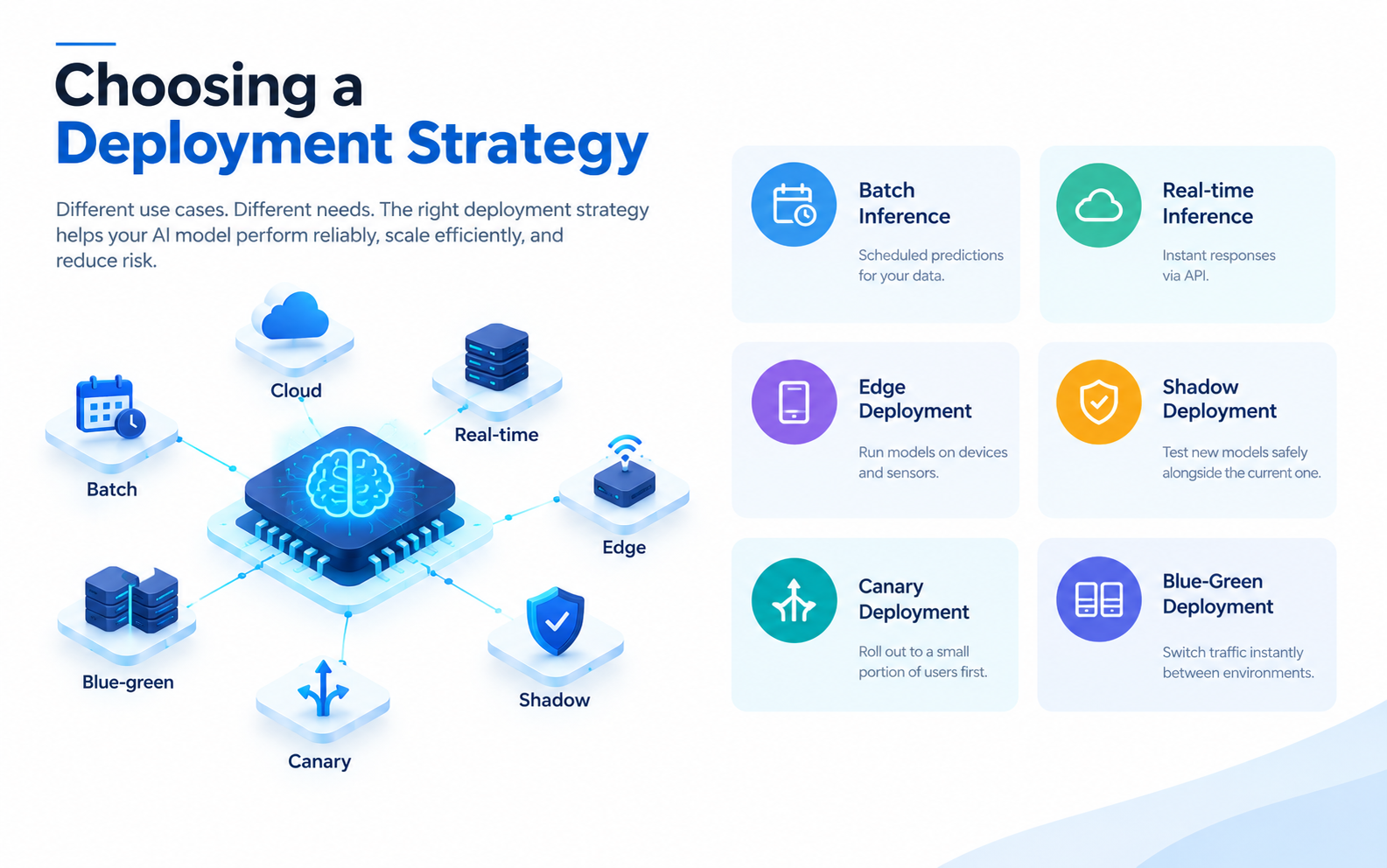
This is where AI model deployment branches into different paths depending on the use case. The table below compares the most common approaches.
| Strategy | How It Works | Best For | Trade-offs |
|---|---|---|---|
| Batch inference | Predictions generated on a schedule for a dataset | Reports, recommendations refreshed daily/weekly | Not suitable for real-time needs |
| Real-time (online) inference | Model responds to individual requests via an API | Fraud detection, chatbots, personalization | Requires low-latency infrastructure |
| Edge deployment | Model runs on-device (phone, IoT sensor, camera) | Privacy-sensitive or offline use cases | Limited compute, harder to update |
| Shadow deployment | New model runs alongside the live one without affecting output | Safely testing a new model version | Doubles inference cost temporarily |
| Canary deployment | New model serves a small percentage of traffic first | Gradual, low-risk rollouts | Requires traffic-splitting infrastructure |
| Blue-green deployment | Two full environments; traffic switches instantly between them | Zero-downtime releases | Requires duplicate infrastructure |
Choosing the right strategy is one of the most consequential decisions in AI model deployment, because it directly affects risk, cost, and how quickly you can recover if something goes wrong.
 Step 4: Setting Up Serving Infrastructure
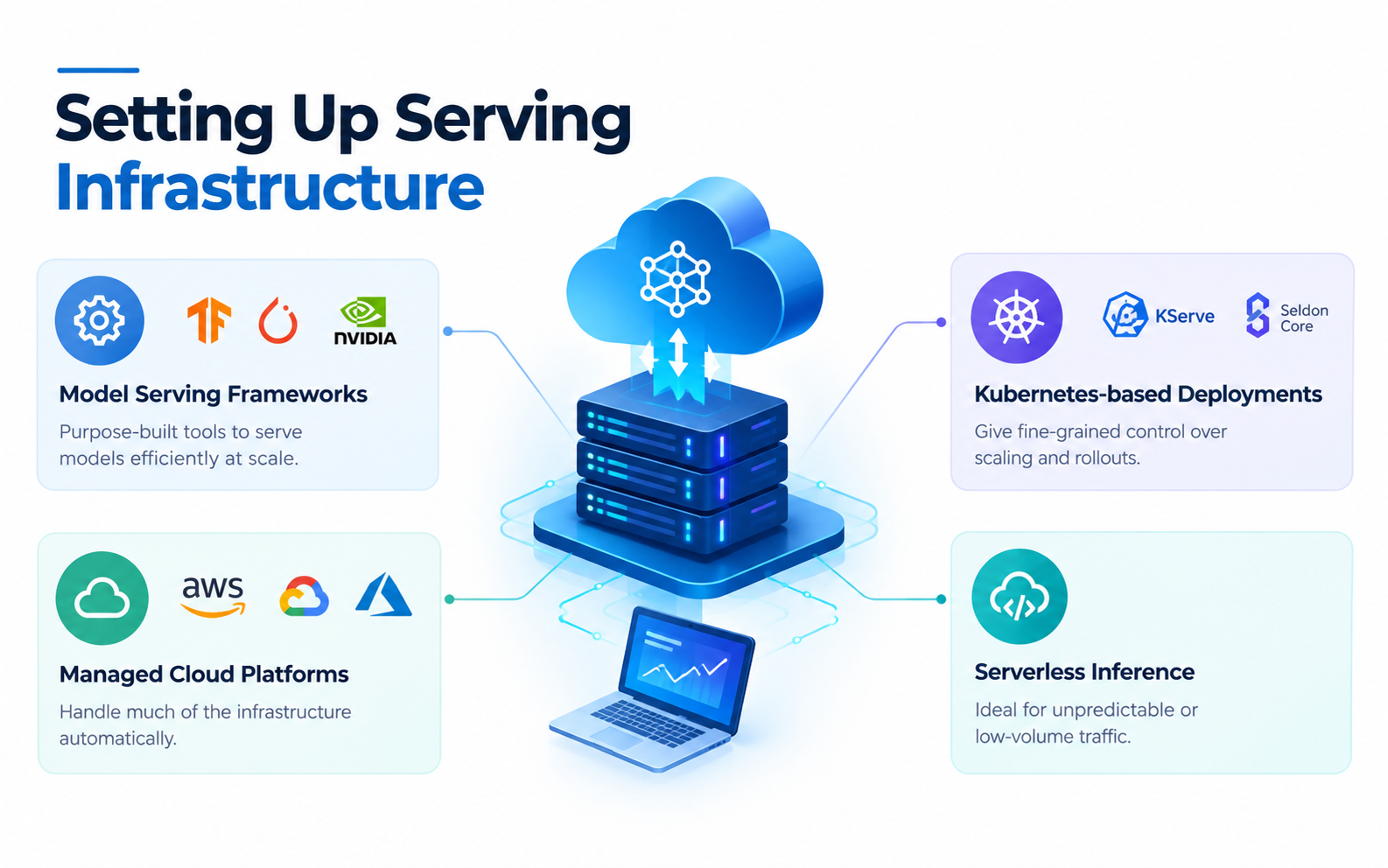
Once a strategy is chosen, the model needs somewhere to actually run. Common options include:
- Model serving frameworks like TensorFlow Serving, TorchServe, and NVIDIA Triton Inference Server, which are purpose-built to serve models efficiently at scale.
- Managed cloud platforms such as Amazon SageMaker, Google Vertex AI, and Azure Machine Learning, which handle much of the infrastructure automatically.
- Kubernetes-based deployments, which give teams fine-grained control over scaling, resource allocation, and rollout strategy — often using tools like KServe or Seldon Core built on top of Kubernetes.
- Serverless inference, useful for unpredictable or low-volume traffic where paying for idle compute doesn’t make sense.
The right infrastructure choice depends on traffic volume, latency requirements, budget, and how much operational overhead a team is willing to manage directly.
 Step 5: Integrating with Applications
A deployed model is only useful once it’s connected to the systems that need its predictions. This usually means exposing the model through a REST or gRPC API, defining clear request/response contracts, and handling authentication, rate limiting, and error handling. This step is where AI model deployment overlaps most heavily with traditional software engineering — API design, versioning, and backward compatibility all matter here just as much as they do for any other service.
Step 6: Monitoring and Observability
Deployment doesn’t end when the model goes live — that’s actually when the real work of maintaining it begins. Production monitoring for AI model deployment should track:
- Operational metrics: latency, throughput, error rates, uptime.
- Model performance metrics: accuracy, precision, recall, or business KPIs tied to predictions.
- Data drift and concept drift: whether incoming data still resembles training data, and whether the relationship between inputs and outputs has changed.
- Prediction distribution shifts: sudden changes in output patterns that can signal upstream data problems.
Tools like Prometheus and Grafana are commonly used for operational monitoring, while specialized ML monitoring platforms (such as Evidently AI or WhyLabs) focus specifically on data drift and model quality over time.
Step 7: Continuous Updates (MLOps)
Models degrade. Data changes, user behavior shifts, and what worked at launch may not work six months later. Mature AI model deployment pipelines build in a feedback loop: monitor performance, retrain on fresh data, validate the new version, and roll it out using the same canary or blue-green strategies used for the original release. This is the core idea behind MLOps — applying DevOps discipline (version control, automated testing, CI/CD) to the machine learning lifecycle.
AI Model Deployment: Common Challenges and How to Handle Them
| Challenge | Why It Happens | Practical Mitigation |
|---|---|---|
| Training-serving skew | Preprocessing differs between training and production code | Use the same preprocessing pipeline/library in both environments |
| Latency spikes | Model too large or infrastructure under-provisioned | Model quantization, caching, autoscaling |
| Silent accuracy decay | Data drift goes undetected | Automated drift monitoring with alerting thresholds |
| Version confusion | No clear tracking of which model version is live | Model registries (e.g., MLflow Model Registry) |
| Rollback difficulty | No safe fallback when a new model underperforms | Blue-green or canary deployment with automated rollback triggers |
| Compliance gaps | No audit trail for predictions | Logging every prediction with input, output, and model version |
Best Practices for Reliable AI Model Deployment
- Version everything — the model, the training data snapshot, the preprocessing code, and the serving environment. Reproducibility is the foundation of safe deployment.
- Automate the pipeline. Manual deployment steps are where human error creeps in. A CI/CD pipeline for machine learning should test, package, and deploy models with minimal manual intervention.
- Start with shadow or canary deployments for any new model version rather than switching 100% of traffic immediately.
- Set clear rollback criteria before deployment, not after something breaks.
- Monitor business outcomes, not just technical metrics. A model can have stable latency and still quietly hurt conversion rates or customer satisfaction.
- Document the deployment process so it’s not dependent on one person’s institutional knowledge.
- Right-size infrastructure. Over-provisioning wastes budget; under-provisioning risks outages during traffic spikes.
Real-World Use Cases of AI Model Deployment
- E-commerce recommendation engines deployed via real-time inference to personalize product suggestions as a user browses.
- Fraud detection systems in banking that score transactions in milliseconds using low-latency, real-time AI model deployment.
- Predictive maintenance models deployed at the edge on factory equipment, flagging anomalies without needing constant cloud connectivity.
- Customer support chatbots that deploy large language models behind an API layer, scaling automatically with support ticket volume.
- Healthcare diagnostic tools that use canary deployment to cautiously roll out model updates given the high stakes of incorrect predictions.
Key Takeaways
- AI model deployment is the process of moving a trained model into a live production environment where it serves real predictions.
- Deployment is not a single event — it includes packaging, strategy selection, infrastructure setup, integration, monitoring, and ongoing updates.
- Choosing between batch, real-time, edge, canary, and blue-green deployment depends on latency needs, risk tolerance, and traffic patterns.
- Monitoring for data drift and model performance decay is just as important as the initial deployment.
- MLOps practices — version control, automated pipelines, and safe rollout strategies — turn deployment from a risky one-time event into a repeatable, reliable process.
Conclusion
AI model deployment is where machine learning stops being a research exercise and starts creating real value — or real risk. The teams that succeed at it treat deployment as a discipline with its own best practices, not an afterthought tacked onto the end of a training pipeline. From packaging and infrastructure choices to monitoring and safe rollout strategies, every step in the journey from training to production shapes how reliable, scalable, and trustworthy a model will be once it’s live.
If you’re planning your next AI model deployment, start by matching your deployment strategy to your actual latency and risk requirements, invest early in monitoring, and build rollback options into the process from day one. Aeologic Technologies can help businesses build reliable AI deployment strategies that support long-term performance, reduce risks, and deliver lasting value. Getting these fundamentals right separates models that deliver value for years from those that cause problems nobody notices until it’s too late.
FAQs
Q1. What is the difference between model training and model deployment?
Training is the process of building and optimizing a model using historical data, while deployment is making that trained model available to generate predictions in a live environment. Training happens once (or periodically); deployment is an ongoing operational responsibility involving infrastructure, monitoring, and updates.
Q2. How long does AI model deployment typically take?
Timelines vary widely based on complexity, infrastructure maturity, and compliance requirements. A simple model with existing deployment infrastructure might go live in days, while a model requiring new infrastructure, security review, and compliance checks can take several weeks to months.
Q3. What tools are commonly used for AI model deployment?
Common tools include Docker for containerization, Kubernetes for orchestration, TensorFlow Serving and TorchServe for model serving, MLflow for model versioning, and managed platforms like SageMaker, Vertex AI, and Azure Machine Learning for end-to-end deployment pipelines.
Q4. What is model drift, and how does it affect deployed models?
Model drift occurs when the statistical properties of production data change over time compared to the training data, causing predictions to become less accurate. It’s typically detected through ongoing monitoring that compares live input distributions and prediction outcomes against baseline training data.
Q5. Should small teams build their own AI model deployment infrastructure?
Small teams often benefit from managed platforms rather than building deployment infrastructure from scratch, since this reduces operational overhead. As traffic and complexity grow, some teams migrate to self-managed Kubernetes-based deployments for more control and cost efficiency.
Q6. What is a model registry, and why does it matter for deployment?
A model registry is a centralized system for tracking model versions, metadata, and deployment status, which prevents confusion about which model version is currently live. Tools like the MLflow Model Registry make it easier to roll back to a previous version if a new deployment underperforms.
Q7. How do you minimize downtime during AI model deployment?
Downtime is typically minimized using blue-green or canary deployment strategies, which route traffic gradually or switch between two fully running environments. Combined with automated health checks, this allows teams to catch issues before they affect all users.
Q8. Can AI models be deployed without cloud infrastructure?
Yes, models can be deployed on-premises or at the edge, directly on devices such as smartphones, cameras, or industrial sensors. Edge deployment is common when latency, privacy, or offline functionality requirements make cloud-based inference impractical.