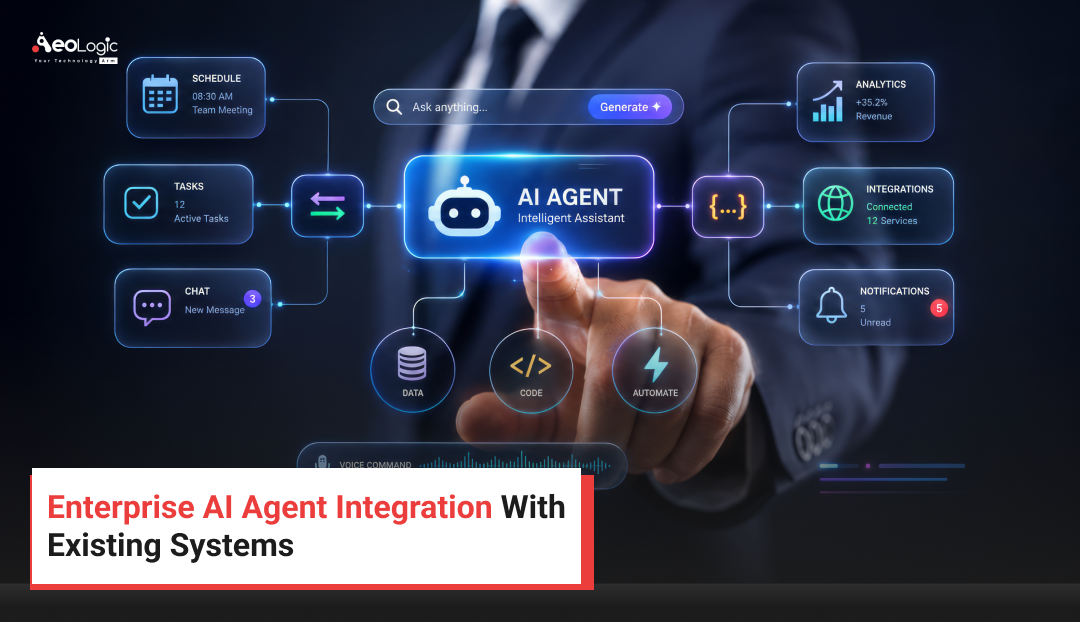
If you’ve sat in on enterprise IT planning meetings this year, you’ve probably heard some version of the same question: how do we actually connect AI agents to the systems we already run? Enterprise AI agent integration isn’t a side project anymore. It’s quickly becoming one of the defining technology initiatives for large organizations that want AI to do real work inside their CRM, ERP, ticketing, and data platforms — not just answer questions in a chat window.
The challenge is that most enterprises don’t get a blank slate. You’ve got a CRM customized over a decade, an ERP system running core finance, a ticketing tool the support team depends on, and dozens of smaller applications stitched together with custom scripts and point-to-point integrations. Bringing AI agents into that environment safely, without breaking what already works, is where enterprise AI agent integration gets genuinely hard — and genuinely valuable when it’s done right.
This guide walks through what Enterprise AI agent integration actually means, the architecture patterns that work in practice, the challenges teams run into, and a practical rollout plan that won’t create a security or compliance headache down the line.
 What is Enterprise AI Agent Integration?
Enterprise AI agent integration is the process of connecting autonomous or semi-autonomous AI agents — software that can reason over data, make decisions, and take action — to an organization’s existing business systems, such as CRM, ERP, help desk, data warehouse, and communication tools. Rather than operating as a standalone chatbot, an integrated AI agent can read live data from these systems, trigger workflows, update records, and complete multi-step tasks on a person’s behalf, all while respecting the organization’s existing permissions and governance rules.
The key word is integration. An AI agent that only lives in its own interface, disconnected from the systems where work actually happens, can answer questions but can’t act. Integration is what turns a conversational model into something that can close a ticket, update a CRM record, reorder inventory, or escalate a finance exception — the kind of work enterprises actually need automated.
Why Enterprise AI Agent Integration Matters Right Now
A few forces are pushing enterprise AI agent integration to the top of the roadmap:
- Operational pressure. Support, finance, and operations teams are being asked to do more without proportional headcount growth, and agents that can touch real systems directly reduce manual handoffs.
- Data fragmentation. Most large organizations run 100+ SaaS and internal applications. Integrated agents can bridge that fragmentation instead of asking employees to manually move information between tools.
- Faster decision cycles. Agents connected to live data can surface answers and trigger actions in seconds rather than waiting on a report or a ticket queue.
- Competitive pressure. Organizations that get integration right free up skilled staff for higher-value work, which shows up in service speed and cost per transaction over time.
- Maturing tooling. API ecosystems, orchestration frameworks, and enterprise-grade agent platforms have matured enough that integration is now a realistic, well-understood engineering project rather than an experimental one.
Systems Enterprises Typically Connect AI Agents To
| System Type | Common Examples | What an Integrated Agent Typically Does |
|---|---|---|
| CRM | Salesforce, HubSpot, Dynamics 365 | Updates records, drafts follow-ups, flags at-risk accounts |
| ERP | SAP, NetSuite, Oracle | Pulls inventory or finance data, flags anomalies, drafts POs |
| ITSM / Help Desk | ServiceNow, Zendesk, Jira | Triages tickets, resolves common requests, routes escalations |
| Data Warehouse / BI | Snowflake, BigQuery, Redshift | Answers analytics questions, builds ad hoc summaries |
| Communication | Slack, Teams, Email | Summarizes threads, drafts updates, sends notifications |
| HR Systems | Workday, SAP SuccessFactors | Answers policy questions, processes routine requests |
Core Architecture Patterns for Enterprise AI Agent Integration
There isn’t one correct way to wire an agent into enterprise systems — the right pattern depends on your existing stack, risk tolerance, and how much control you need over agent actions.
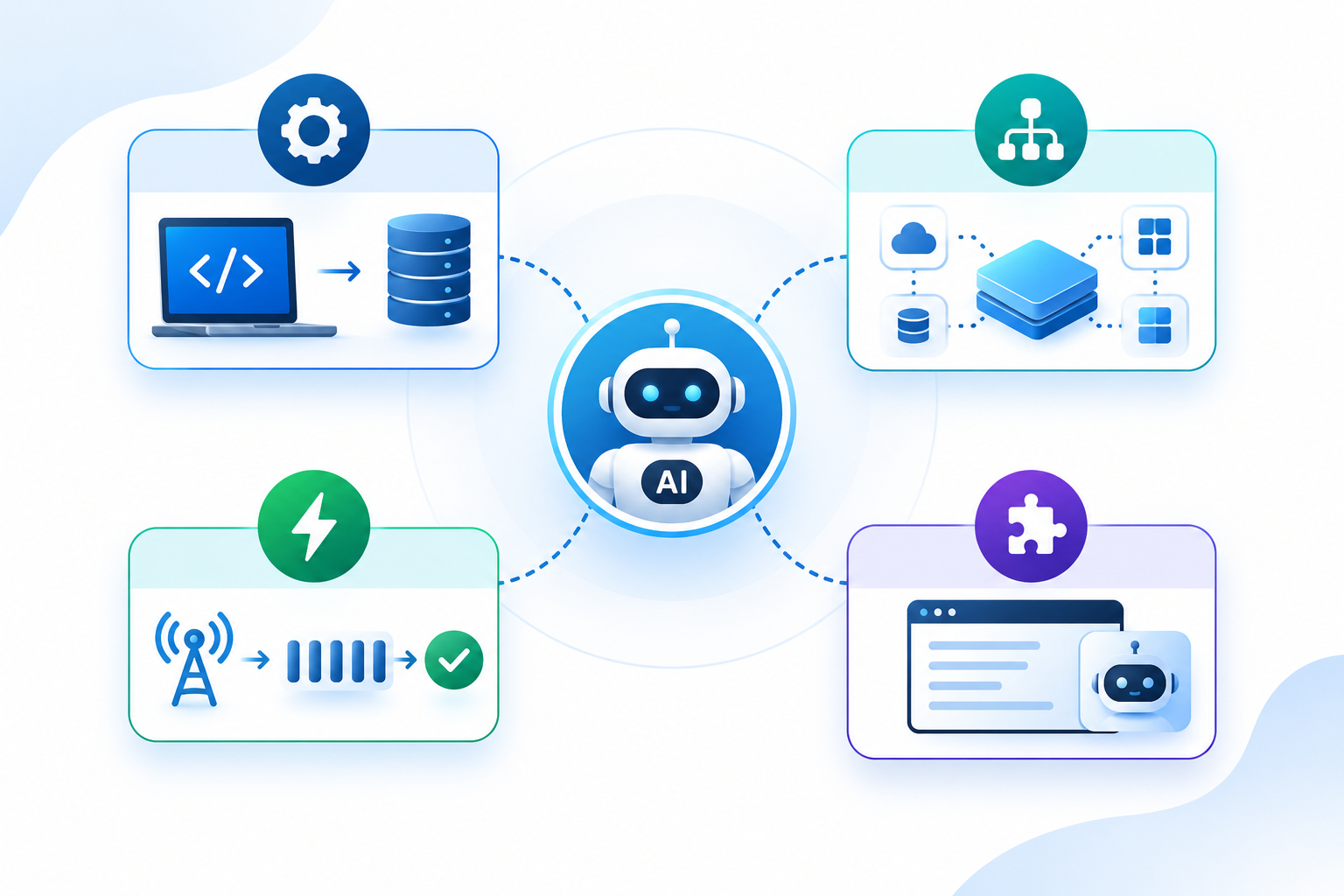
API-First Integration
The agent calls each target system’s native REST or GraphQL API directly, using scoped credentials. This is the cleanest approach when systems expose modern, well-documented APIs, since it keeps the integration layer thin and easy to audit.
Middleware / iPaaS Layer
A middleware or integration-platform-as-a-service layer (such as MuleSoft, Workato, or a custom service bus) sits between the agent and target systems. This pattern is useful when you’re connecting many systems at once, since it centralizes authentication, rate limiting, and transformation logic in one place instead of duplicating it per agent.
Event-Driven Integration
Agents subscribe to events (a new support ticket, an inventory threshold, a contract renewal date) via a message bus like Kafka or a webhook system, and act when relevant events fire. This pattern suits always-on operational agents that need to react in near real time rather than waiting to be asked.
Embedded Agents Inside Existing Applications
Rather than a separate interface, the agent is embedded directly into the CRM, ticketing tool, or internal portal employees already use. This lowers the adoption barrier since staff don’t have to learn a new tool, but it requires tighter coordination with the vendor’s extension or plugin framework.
Most mature enterprise AI agent integration programs end up blending these patterns — API-first for simple systems, middleware for complex or legacy ones, and event-driven triggers layered on top for the agents that need to act proactively.
 Step-by-Step Process for Enterprise AI Agent Integration
- Map existing systems and data flows. Document which systems hold the data and workflows the agent needs, including undocumented legacy connections.
- Define the agent’s scope and guardrails. Decide exactly which actions the agent is allowed to take autonomously versus which require human approval.
- Choose an integration architecture. Pick API-first, middleware, event-driven, or a hybrid, based on your systems inventory.
- Set up authentication and permissions. Use scoped service accounts and role-based access control rather than broad admin credentials.
- Build and test in a sandbox. Validate behavior against test data before the agent ever touches production systems.
- Pilot with a narrow, well-bounded use case. A single workflow in a single department is easier to monitor and course-correct than a broad rollout.
- Monitor, measure, and iterate. Track accuracy, escalation rates, and user feedback, and tighten or loosen guardrails based on real behavior.
- Scale across departments. Once the pattern is proven, extend the same architecture and governance model to additional teams and systems.
Common Challenges in Enterprise AI Agent Integration — and How to Solve Them
| Challenge | Why It Happens | How to Address It |
|---|---|---|
| No modern API on legacy systems | Older enterprise systems were never built with external automation in mind | Use a middleware layer, screen-scraping as a last resort, or vendor-provided connectors |
| Data silos and inconsistent formats | Systems were implemented independently over many years | Standardize on a canonical data model at the integration layer |
| Security and access-control concerns | Agents need broader system access than a typical user account | Apply least-privilege scoped credentials and require approval for sensitive actions |
| Employee trust and change management | Staff worry about job impact or being overridden by automation | Involve end users early, keep humans in the loop on judgment calls, communicate scope clearly |
| Measuring real impact | Teams default to vague “efficiency” claims | Define concrete, trackable metrics before launch, not after |
Security and Governance Considerations
Security has to be designed in from day one of enterprise AI agent integration, not bolted on afterward. A few non-negotiables:
- Least-privilege access. Give the agent only the specific scopes and systems it needs, never broad administrative rights.
- Human-in-the-loop checkpoints. High-impact actions — refunds above a threshold, contract changes, data deletion — should route to a human for approval.
- Full audit logging. Every action an agent takes should be logged with enough detail to reconstruct what happened and why.
- Data residency and retention rules. Make sure the agent and any orchestration layer respect the same data-handling policies as the rest of the enterprise.
- Regular access reviews. Treat agent credentials the way you’d treat any privileged service account — review and rotate them.
Measuring ROI of Enterprise AI Agent Integration
ROI conversations work best when they’re grounded in metrics you can actually track in your own environment rather than borrowed industry averages. Useful categories to measure:
- Time saved per task or ticket, measured before and after the agent is introduced.
- Cost per transaction or resolution, tracked over the same workflow.
- Error or rework rate, since a faster process that creates more mistakes isn’t a win.
- Escalation rate, which shows how often the agent needs human intervention.
- Employee and customer satisfaction, gathered through existing feedback channels.
Because results vary enormously by organization, system complexity, and use case, it’s worth running your pilot long enough to get real numbers rather than relying on vendor-provided benchmarks alone.
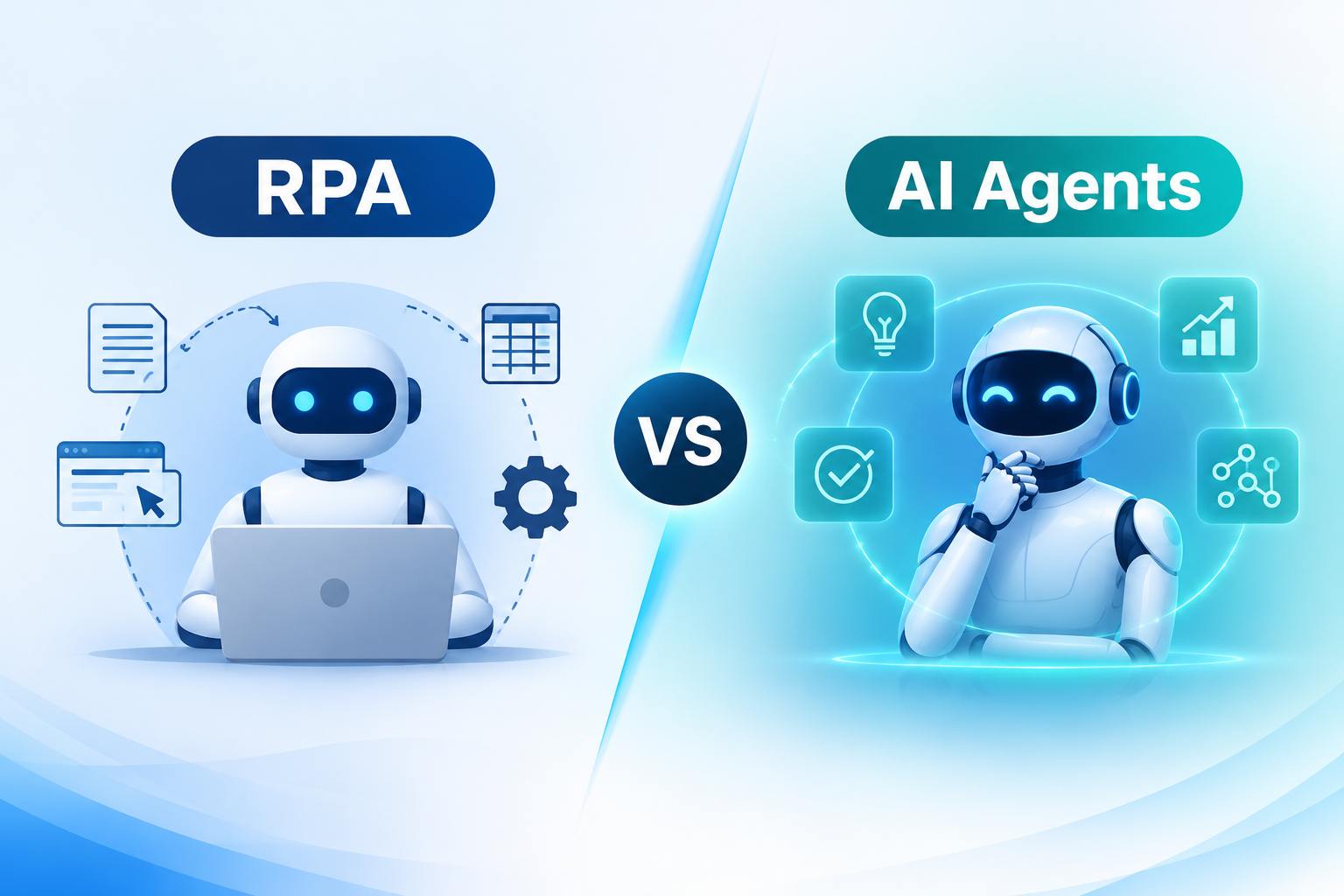
Enterprise AI Agent Integration vs. Traditional Automation (RPA)
| Aspect | Robotic Process Automation (RPA) | AI Agent Integration |
|---|---|---|
| Logic | Follows fixed, pre-scripted rules | Reasons over context and can adapt to new situations |
| Interface dependency | Often brittle to UI changes | Typically works through APIs or semantic understanding, more resilient |
| Task complexity | Best for narrow, repetitive tasks | Can handle multi-step tasks involving judgment |
| Setup effort | Scripted per exact workflow | Configured with goals and guardrails, more flexible to variation |
| Maintenance | High — breaks when the underlying UI changes | Lower for API-based integrations, though still requires monitoring |
RPA and AI agents aren’t necessarily competitors — many enterprises run them side by side, using RPA for stable, high-volume rule-based tasks and reserving enterprise AI agent integration for workflows that need judgment, context, or natural-language interaction.
 Best Practices for Enterprise AI Agent Integration
- Start with one well-defined, high-friction workflow rather than trying to automate everything at once.
- Keep humans in the loop for anything irreversible or high-stakes.
- Build observability in from the start — logs, dashboards, and alerts, not just a working demo.
- Treat the integration layer as a long-term asset, documented and version-controlled like any other piece of infrastructure.
- Involve the teams who will use the agent daily, not just IT and engineering.
- Revisit guardrails regularly as the agent proves itself, rather than setting them once and forgetting them.
Real-World Use Case Patterns
While exact results vary by organization, enterprise AI agent integration tends to cluster around a few recurring patterns across industries:
- Financial services: Agents connected to core banking and compliance systems that flag unusual transactions or draft exception reports for human review.
- Retail and e-commerce: Agents integrated with inventory and order-management systems that monitor stock levels and draft reorder recommendations.
- Healthcare administration: Agents connected to scheduling and records systems that handle routine administrative requests while keeping clinical decisions with human staff.
- Manufacturing: Agents tied into ERP and maintenance systems that flag equipment anomalies based on sensor and service-ticket data.
- Customer support: Agents integrated with the help desk and knowledge base that resolve common tickets and escalate anything outside their defined scope.
The Future of Enterprise AI Agent Integration
Expect enterprise AI agent integration to keep moving from single-purpose assistants toward coordinated multi-agent systems, where specialized agents handle different parts of a workflow and hand off to one another. Standardized protocols for agent-to-system and agent-to-agent communication are also maturing, which should lower the custom-integration burden that makes this work expensive today. The organizations that build strong governance and architecture foundations now will have a much easier time adopting those advances as they arrive.
Conclusion
Enterprise AI agent integration isn’t about bolting a chatbot onto your tech stack — it’s about giving AI agents safe, scoped access to the systems where your organization’s real work already happens. Done well, it means faster resolutions, fewer manual handoffs, and teams freed up for higher-value work. Done carelessly, it means security gaps and brittle automation that breaks the moment a connected system changes.
The organizations getting this right start narrow, build strong governance from day one, and treat enterprise AI agent integration as core infrastructure rather than a one-off project. At Aeologic Technologies, we believe a successful integration roadmap starts with a well-defined workflow, clear guardrails, and measurable outcomes before expanding across the enterprise.
FAQs
Q1. Do we need to replace our existing systems to adopt AI agents?
No. Enterprise AI agent integration is specifically designed to work with the systems you already run, connecting through APIs or middleware rather than requiring a rip-and-replace of your CRM, ERP, or ticketing tools.
Q2. What’s the difference between an AI agent and a chatbot?
A chatbot typically answers questions in its own interface. An AI agent, once integrated, can take action in connected systems — updating records, triggering workflows, or completing multi-step tasks — not just generating a response.
Q3. Which department should pilot AI agent integration first?
Most organizations start with IT help desk or customer support, since those workflows are well-documented, high-volume, and easier to measure, making them a lower-risk place to prove the architecture.
Q4. How much custom development does enterprise AI agent integration require?
It depends on your systems. Modern platforms with well-documented APIs need relatively light integration work, while legacy systems without APIs often require a middleware layer or custom connector, increasing development time.
Q5. Can AI agents work with on-premise legacy systems?
Yes, though it typically requires a middleware layer or custom connector since on-premise legacy systems rarely expose modern APIs the way cloud-native tools do.
Q6. What happens if the AI agent makes a mistake inside a connected system?
Well-governed integrations include human-in-the-loop checkpoints for high-impact actions and full audit logs, so mistakes can be caught, reviewed, and reversed rather than propagating unchecked through connected systems.
Q7. How do we get employee buy-in for AI agent integration?
Involve the people who do the work early, keep the agent’s scope transparent, and keep humans in control of judgment calls. Clear communication about what the agent will and won’t do reduces resistance significantly.